
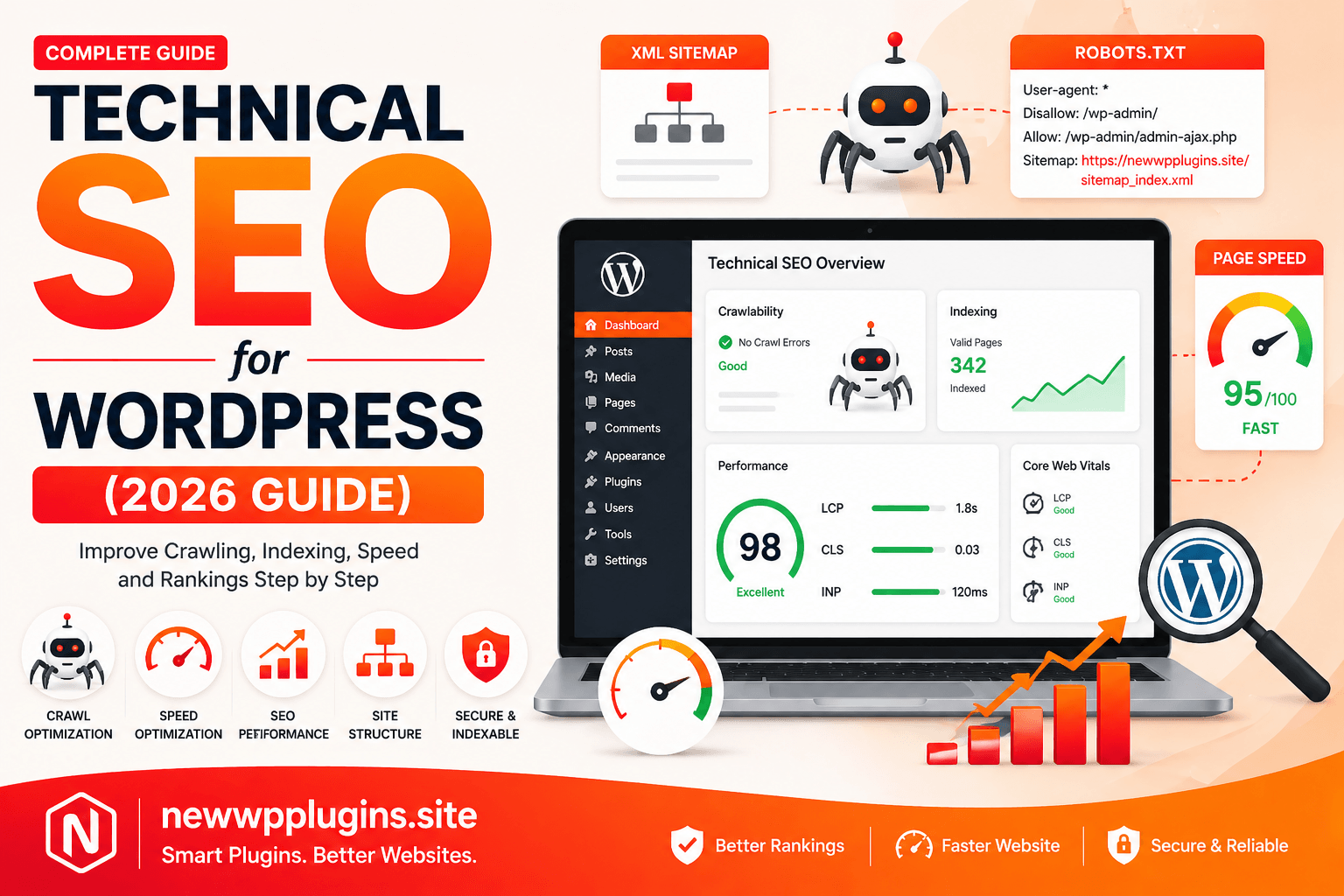
Technical SEO is the foundation of your website’s visibility in search engines. Even if you publish high-quality content, your site will not rank properly if technical SEO is not optimized.
In this complete guide on https://newwpplugins.site, you will learn how to set up technical SEO for WordPress step by step, covering everything from indexing and crawling to performance and structured data.
What is Technical SEO?
Technical SEO refers to optimizing your website so that search engines can:
- Crawl your website
- Index your pages
- Understand your content
- Rank your pages efficiently
Unlike content SEO, technical SEO focuses on backend improvements.
Why Technical SEO Matters
Without proper technical SEO:
- Pages may not get indexed
- Your rankings will drop
- Website speed may suffer
- User experience becomes poor
With proper setup, you get:
- Faster indexing
- Better rankings
- Improved Core Web Vitals
- Higher organic traffic
Step 1: Ensure Your Website is Indexable
Go to:
Settings → Reading
Make sure this option is unchecked:
Discourage search engines from indexing this site
If enabled, your entire website will be hidden from Google.
Step 2: Submit XML Sitemap
A sitemap helps search engines discover your content faster.
Your sitemap is already available at:
https://newwpplugins.site/sitemap_index.xml
What You Should Do
- Submit it in Google Search Console
- Check for errors
- Ensure all important pages are included
Step 3: Optimize Robots.txt File
The robots.txt file tells search engines what to crawl and what to avoid.
Basic Example
User-agent: *
Disallow: /wp-admin/
Allow: /wp-admin/admin-ajax.php
Sitemap: https://newwpplugins.site/sitemap_index.xml
Why This Matters
- Prevents unnecessary crawling
- Improves crawl efficiency
- Helps indexing priority
Step 4: Fix Crawl Errors
Go to Google Search Console → Pages
Look for:
- Not indexed pages
- Crawl errors
- Redirect issues
Fixing these ensures your pages appear in search results.
Step 5: Improve Website Speed
Speed is a major technical SEO factor.
What to Optimize
- Enable caching
- Optimize images
- Reduce scripts
Follow this detailed guide:
How to Speed Up WordPress Website 2026
Step 6: Optimize Core Web Vitals
Core Web Vitals are critical ranking signals.
Focus on:
- LCP
- CLS
- INP
Learn how to improve them:
Core Web Vitals for WordPress – Improve LCP, CLS & INP
Step 7: Use HTTPS (SSL Certificate)
Make sure your website uses:
👉 https://
Benefits:
- Secure connection
- Trust signal
- Ranking factor
Step 8: Fix Broken Links
Broken links harm SEO and user experience.
How to Fix
- Use link checker tools
- Update or remove broken links
Step 9: Optimize URL Structure
Keep URLs:
- Short
- Clean
- Keyword-rich
Example:
✔ Good:/wordpress-seo-guide
❌ Bad:/?p=123
Step 10: Use Proper Heading Structure
Use headings correctly:
- H1 → Main title
- H2 → Sections
- H3 → Subsections
This helps search engines understand content hierarchy.
Step 11: Add Schema Markup
Schema helps Google understand your content better.
Use:
- Article schema
- FAQ schema
- Breadcrumb schema
This can improve click-through rates.
Step 12: Optimize Internal Linking
Internal links help distribute SEO value across your site.
Link your important posts always and manually insert your old content post links to new ones. You may use some plugins like Link Whisper plugins, to get links placement suggestions.
Step 13: Remove Duplicate Content
Duplicate content confuses search engines.
Fix by:
- Using canonical tags
- Avoiding duplicate pages
Step 14: Optimize Images for SEO
Images should be:
- Compressed
- Properly named
- With ALT text
Learn more:
Best Image Optimization Plugins for WordPress (2026 Guide)
Step 15: Enable Breadcrumbs
Breadcrumbs improve navigation and SEO.
Example:
Home > Blog > SEO
Step 16: Mobile Optimization
Your website must be mobile-friendly.
Check:
- Responsive design
- Fast mobile speed
- Readable text
Step 17: Reduce Redirect Chains
Too many redirects slow down your site.
Keep redirects simple and minimal.
Step 18: Database Optimization
Clean your database regularly:
- Remove spam comments
- Delete revisions
Common Technical SEO Mistakes
- Blocking search engines
- Broken sitemap
- Slow website
- Duplicate content
- Poor mobile experience
Internal Resources
- How to Speed Up WordPress Website 2026
- Core Web Vitals for WordPress – Improve LCP, CLS & INP
- LiteSpeed Cache Settings for WordPress (Fast Speed Guide)
Conclusion
Technical SEO is the backbone of your WordPress website. Without it, even the best content will struggle to rank.
By following this complete guide, you can ensure your website is optimized for crawling, indexing, and performance in 2026.
For more tutorials and SEO guides, visit:
https://newwpplugins.site