
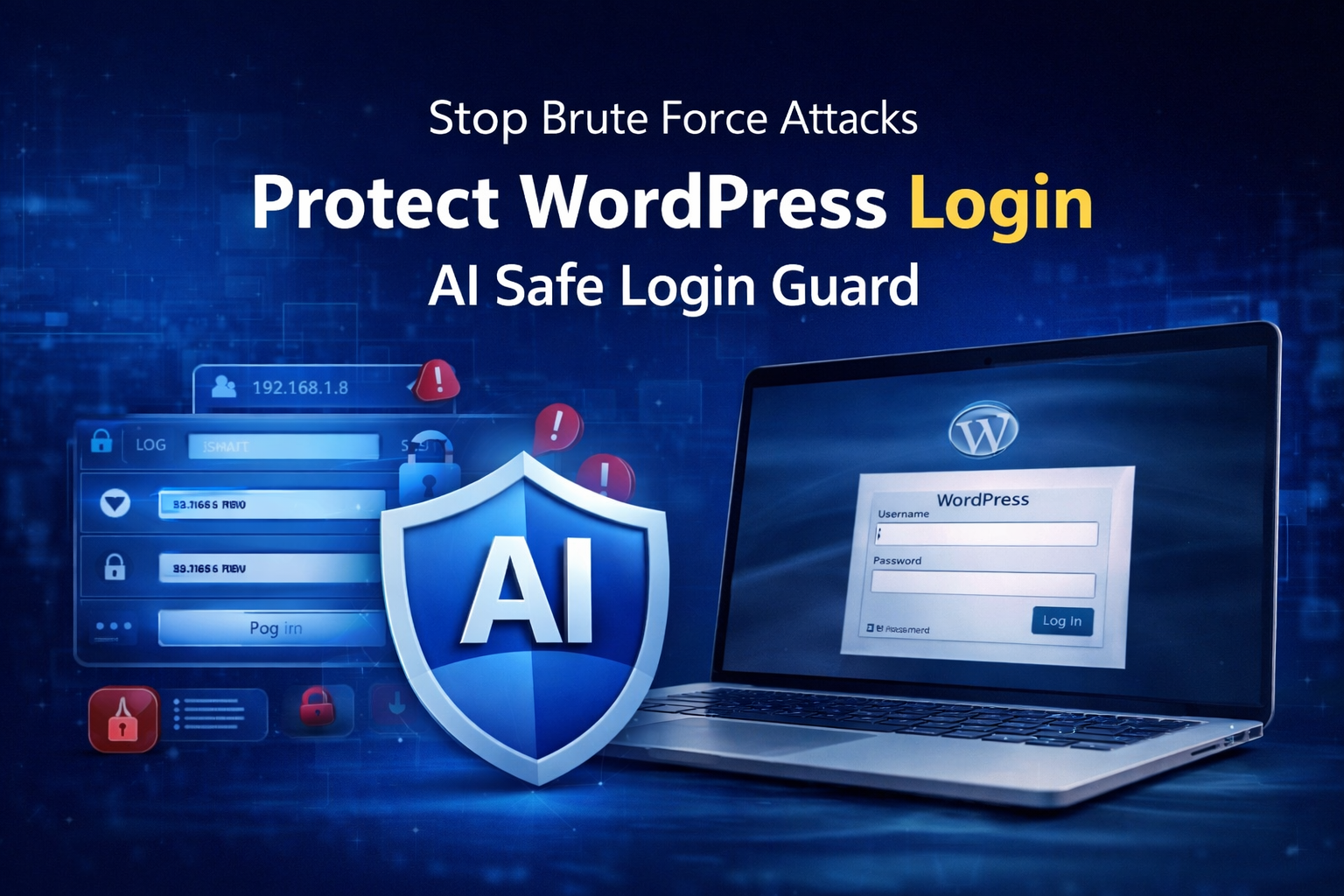
WordPress powers millions of websites across the internet, from personal blogs to large business platforms. Its popularity is one of the reasons why WordPress websites are frequently targeted by hackers and automated bots.
One of the most common threats is the brute force login attack.
These attacks are designed to repeatedly guess usernames and passwords until attackers gain access to a website. Even small WordPress sites receive automated login attempts every day without owners realizing it.
The good news is that protecting your WordPress login page does not require advanced technical knowledge or expensive security systems. With the right login protection strategy and a lightweight security plugin like AI Safe Login Guard 2.0, you can significantly reduce login attacks while keeping your website fast and user-friendly.
In this guide, you will learn:
- What brute force attacks are
- Why WordPress login security matters
- How attackers target WordPress websites
- The best way to stop brute force attacks
- How to configure AI Safe Login Guard
- Recommended settings for beginners
- Additional WordPress login security tips
No coding knowledge is required.
What Is a Brute Force Attack?
A brute force attack is a hacking method where bots or attackers repeatedly try different username and password combinations to log into a website. Instead of manually testing passwords, automated tools perform hundreds or even thousands of login attempts every minute.
The goal is simple:
- guess weak passwords
- gain admin access
- take control of the website
Many WordPress websites become targets because the default login URL is publicly accessible.
Common Examples of Brute Force Attempts
Attackers often try:
- admin / password
- admin / 123456
- administrator / admin123
- common leaked passwords
If weak passwords are used, websites can be compromised very quickly.
Why WordPress Login Security Is Important
Your WordPress login page is the main gateway to your website.
If attackers gain access to the admin panel, they can:
- modify website content
- inject malware
- install malicious plugins
- redirect visitors
- damage SEO rankings
- steal customer information
- send spam emails
Even failed attacks can still cause problems.
Repeated login requests increase server load and may slow down your website, especially on shared hosting environments. This is why protecting the WordPress login page is considered one of the most important security steps for any website owner.
Signs Your WordPress Website May Be Under Attack
Many beginners do not notice login attacks immediately because most attacks happen silently in the background.
Here are some common warning signs:
Multiple Failed Login Attempts
If your website receives many failed login attempts within a short period, automated bots may be targeting your site.
Slow Website Performance
Heavy login attacks consume server resources and can slow down WordPress websites.
Hosting Provider Security Alerts
Some hosting providers send warnings when suspicious login activity is detected.
Unusual IP Addresses
Login attempts from unfamiliar countries or suspicious IP addresses may indicate automated attacks.
Why Simple Passwords Are Dangerous
Many WordPress websites still use weak passwords.
Examples include:
- password123
- admin123
- qwerty
- 12345678
These passwords are often included in automated attack databases. Even if your website is small, weak passwords make attacks much easier. Strong passwords combined with login protection create a much stronger defense system.
Best Way to Stop Brute Force Attacks
One of the simplest and most effective ways to stop brute force attacks is to limit failed login attempts. By default, WordPress allows unlimited login attempts. This means bots can continue guessing passwords endlessly.
A login attempt limiter solves this problem.
How Login Attempt Limiting Works
When a visitor repeatedly enters incorrect passwords:
- failed attempts are tracked
- login attempts are limited
- suspicious IP addresses are blocked temporarily
This stops automated bots while allowing genuine users to log in normally.
Why Lightweight Security Plugins Are Better
Many WordPress security plugins are extremely large and resource-heavy.
They may include:
- firewalls
- malware scanners
- cloud systems
- large databases
- unnecessary scripts
For smaller websites, this can:
- slow down WordPress
- increase hosting usage
- create plugin conflicts
A focused login protection plugin is often the better solution for beginners.
Introducing AI Safe Login Guard 2.0
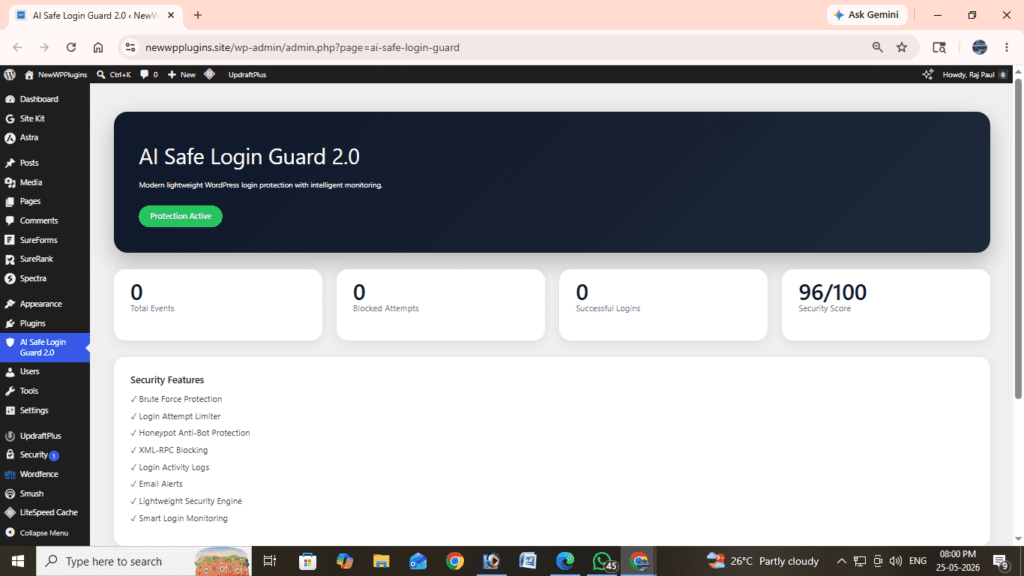
AI Safe Login Guard 2.0 is a lightweight WordPress login protection plugin designed specifically to prevent brute force login attacks. Unlike heavy security suites, it focuses on protecting the WordPress login system while remaining fast and beginner-friendly.
And the main part is that it is developed by us.
Key Features
- Brute force protection
- Login attempt limiter
- Temporary IP lockouts
- XML-RPC protection
- Login activity monitoring
- Email security alerts
- Lightweight dashboard
- Beginner-friendly setup
- Mobile-friendly admin interface
The plugin is designed to work immediately after activation with minimal configuration.
How to Install AI Safe Login Guard 2.0
Installing the plugin is simple.
Step 1 — Download the Plugin
Step 2 — Open WordPress Dashboard
Go to:
Plugins → Add NewStep 3 — Upload Plugin
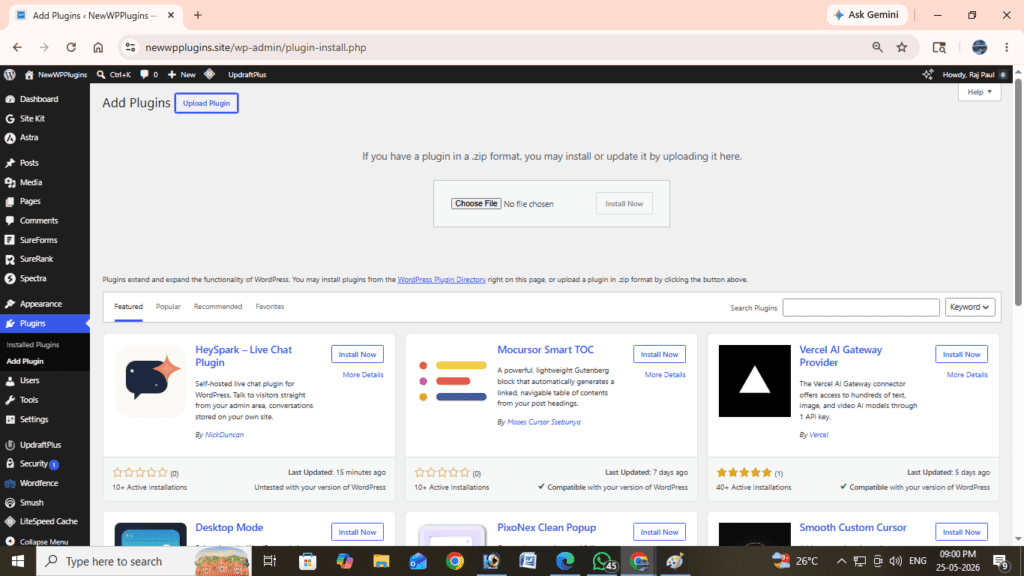
Click:
Upload PluginThen select the ZIP file.
Step 4 — Activate Plugin
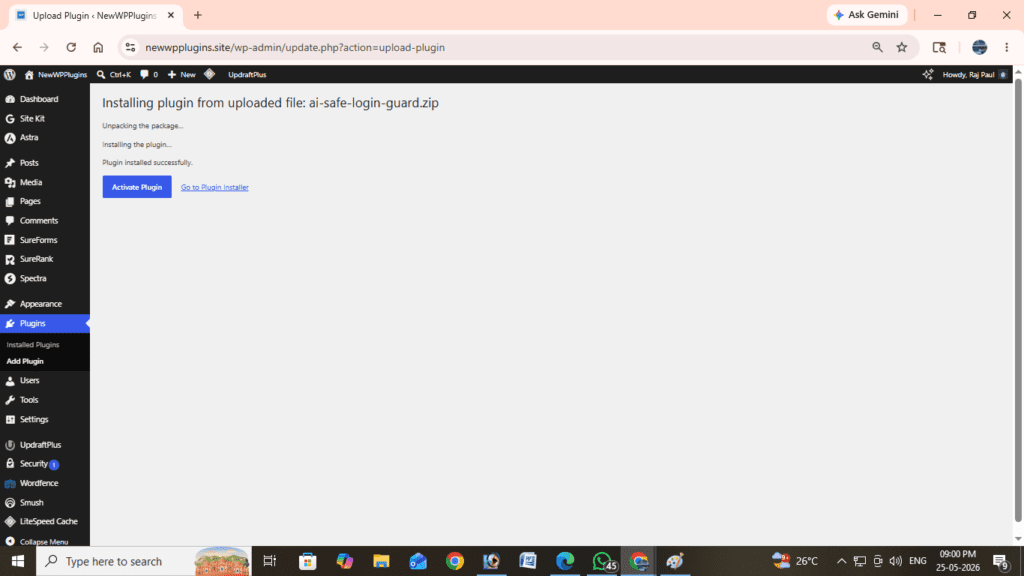
Click:
Activate PluginThe plugin immediately starts monitoring login attempts.
How to Configure AI Safe Login Guard
After activation, open:
AI Safe Login Guard 2.0inside the WordPress admin menu.
The dashboard provides:
- protection overview
- blocked attempts
- login statistics
- activity logs
- security score
Recommended Settings for Beginners
For most websites, these settings work well:
| Setting | Recommended Value |
|---|---|
| Maximum Login Attempts | 3–5 |
| Lockout Duration | 15–30 Minutes |
| Email Alerts | Enabled |
| XML-RPC Protection | Enabled |
These values balance security and usability.
What Happens When Login Attempts Are Blocked?
Once the maximum number of failed attempts is reached:
- the IP address is temporarily blocked
- login requests are denied
- suspicious activity is logged
- admin alerts can be triggered
After the lockout period ends, users can attempt to log in again.
This helps stop bots automatically without affecting normal visitors.
Does This Affect Real Users?
In most cases, no. Genuine users are rarely affected unless they repeatedly enter incorrect passwords.
Even then:
- they can reset passwords normally
- wait for the temporary block to expire
- contact the website admin if needed
The system mainly targets automated login attacks.
XML-RPC Protection Explained
Many brute force attacks target WordPress XML-RPC functionality. XML-RPC is a WordPress feature that allows remote communication. Unfortunately, attackers sometimes abuse it to send massive login requests. For most websites, disabling XML-RPC improves security without affecting normal usage.
AI Safe Login Guard 2.0 includes optional XML-RPC protection to reduce this risk.
Additional WordPress Login Security Tips
Login attempt limiting is powerful, but combining multiple security practices creates stronger protection.
Use Strong Passwords
Always use:
- long passwords
- mixed characters
- numbers and symbols
Avoid common passwords entirely.
Keep WordPress Updated
Outdated plugins and themes can introduce security vulnerabilities.
Update:
- WordPress core
- themes
- plugins
regularly.
Remove Unused Plugins
Unused plugins increase attack surfaces. Delete plugins you no longer use.
Use Reliable Hosting
Quality hosting providers often include:
- firewall systems
- malware scanning
- server-level security
Good hosting improves overall website protection.
For additional protection
You may consider these articles:
- How to Stop WordPress Comment Spam Without CAPTCHA (Simple Method)
- How to Speed Up WordPress Website 2026 (FULL GUIDE)
- Best WordPress Backup Plugins (2026 Guide)
- How to Enable Maintenance Mode in WordPress (Complete Beginner Guide)
Does Login Security Improve SEO?
Indirectly, yes. A secure website:
- builds user trust
- reduces malware risks
- prevents downtime
- improves website stability
Search engines prefer reliable and secure websites.
Security issues can negatively affect:
- rankings
- indexing
- user experience
Protecting your login system helps maintain overall website health.
AI Safe Login Guard vs Heavy Security Plugins
| Feature | AI Safe Login Guard 2.0 | Heavy Security Suites |
|---|---|---|
| Lightweight | Yes | Often Heavy |
| Beginner Friendly | Yes | Sometimes Complex |
| Shared Hosting Friendly | Yes | Can Increase Resource Usage |
| Focused Login Protection | Yes | Mixed |
| Easy Setup | Yes | Sometimes Difficult |
For many beginners, a focused login security plugin is easier to manage and faster for websites.
Who Should Use AI Safe Login Guard?
This plugin is ideal for:
- bloggers
- business websites
- portfolio sites
- WooCommerce stores
- small agencies
- beginner WordPress users
Especially for shared hosting websites where performance matters.
Frequently Asked Questions
Can brute force attacks slow down WordPress?
Yes. Repeated login attempts increase server resource usage and may slow down websites.
Is AI Safe Login Guard beginner-friendly?
Yes. The plugin is designed for simple setup and works immediately after activation.
Does limiting login attempts stop all attacks?
No single method stops every attack, but login attempt limiting significantly reduces automated brute force attacks.
Is XML-RPC protection necessary?
For most websites, yes. XML-RPC is commonly targeted during login attacks.
Does the plugin collect user data?
No. AI Safe Login Guard focuses on lightweight local security protection without unnecessary tracking systems.
Final Thoughts
Protecting your WordPress login page does not need to be complicated. Even simple security improvements like limiting login attempts can dramatically reduce brute force attacks and unauthorized access attempts.
AI Safe Login Guard 2.0 offers a focused, lightweight, and beginner-friendly way to improve WordPress login security without slowing down your website.
Whether you run:
- a blog
- business website
- portfolio
- WooCommerce store
protecting your login page should always be one of the first security steps you take.
A secure WordPress website is easier to manage, more reliable for visitors, and better prepared against common online threats.