
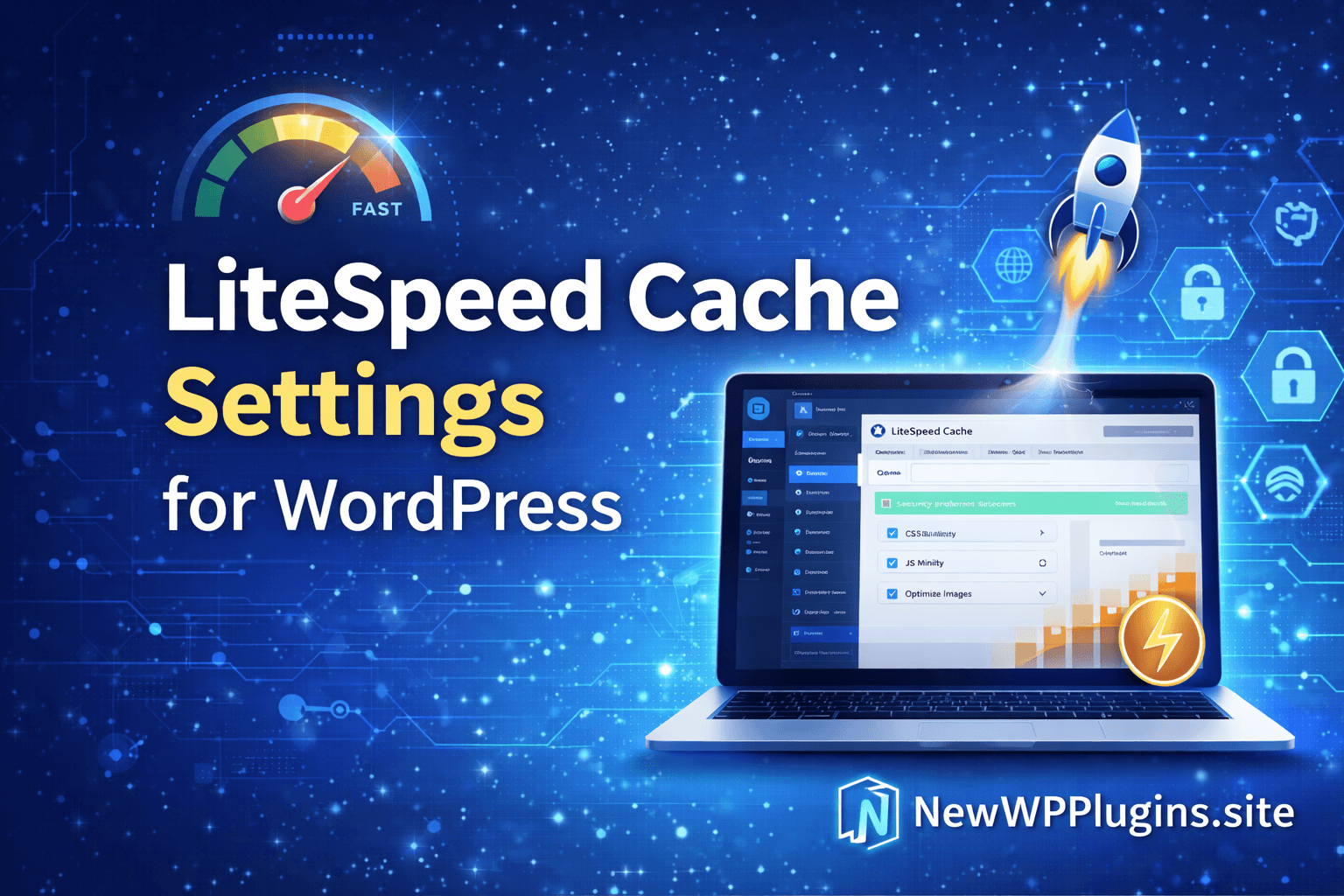
Website speed has become one of the most important factors for modern WordPress websites. Whether you run a blog, business website, affiliate site, WooCommerce store, or portfolio, faster loading times directly affect user experience, search engine rankings, conversions, and overall website performance.
Many beginners focus heavily on themes and plugins but ignore one major factor that can dramatically improve a website.
caching and optimization
A slow WordPress website can lead to:
- higher bounce rates
- lower Google rankings
- reduced user engagement
- poor Core Web Vitals
- lower conversions
- increased server load
The good news is that improving WordPress speed no longer requires advanced coding knowledge or expensive hosting upgrades. With the right cache plugin and proper settings, even beginners can significantly improve website performance within minutes.
One of the most popular and effective WordPress performance plugins today is LiteSpeed Cache.
In this guide, you will learn:
- what LiteSpeed Cache is
- why website speed matters
- recommended LiteSpeed Cache settings
- beginner-friendly optimization tips
- safe performance settings
- image optimization basics
- lazy loading configuration
- SEO benefits of faster websites
This tutorial is designed for beginners and focuses on simple, safe, and effective optimization settings.
Why Website Speed Matters in WordPress
Website speed affects nearly every aspect of your website. A faster website improves:
- user experience
- SEO performance
- mobile usability
- page engagement
- conversion rates
Visitors today expect websites to load quickly. If a website feels slow, many users leave before the page even finishes loading. Search engines like Google also prioritize website performance because speed directly affects user satisfaction.
A slow WordPress website may experience:
- lower rankings
- poor Core Web Vitals
- reduced traffic
- weaker engagement
This is especially important for:
- blogs
- affiliate websites
- WooCommerce stores
- agency websites
- business landing pages
What Is LiteSpeed Cache?
LiteSpeed Cache is a powerful WordPress optimization plugin designed to improve:
- website speed
- caching
- frontend optimization
- image optimization
- performance delivery
The plugin includes features like:
- page caching
- CSS optimization
- JavaScript optimization
- image compression
- lazy loading
- database optimization
- browser caching
Unlike many heavy optimization plugins, LiteSpeed Cache offers a large number of performance tools inside one plugin. Even better, beginners can achieve noticeable speed improvements using only a few safe settings.
Why LiteSpeed Cache Is Popular
Many WordPress users prefer LiteSpeed Cache because it combines multiple optimization features into one lightweight plugin. Instead of installing separate plugins for:
- caching
- image optimization
- lazy loading
- CSS optimization
LiteSpeed Cache handles most tasks together. Benefits include:
- simpler management
- lower plugin conflicts
- improved performance
- easier optimization workflow
It is especially useful for:
- beginners
- shared hosting users
- growing websites
- performance-focused blogs
How to Install LiteSpeed Cache
Installing LiteSpeed Cache is simple. Inside WordPress dashboard, open:
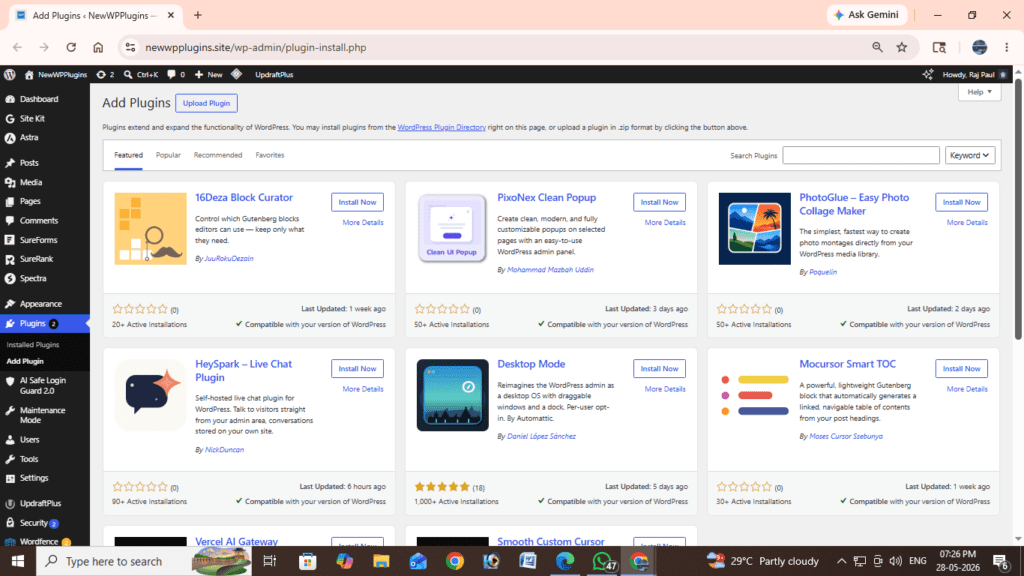
Plugins → Add NewSearch for:
LiteSpeed CacheThen click:
Install NowAfter installation:
click:
Activate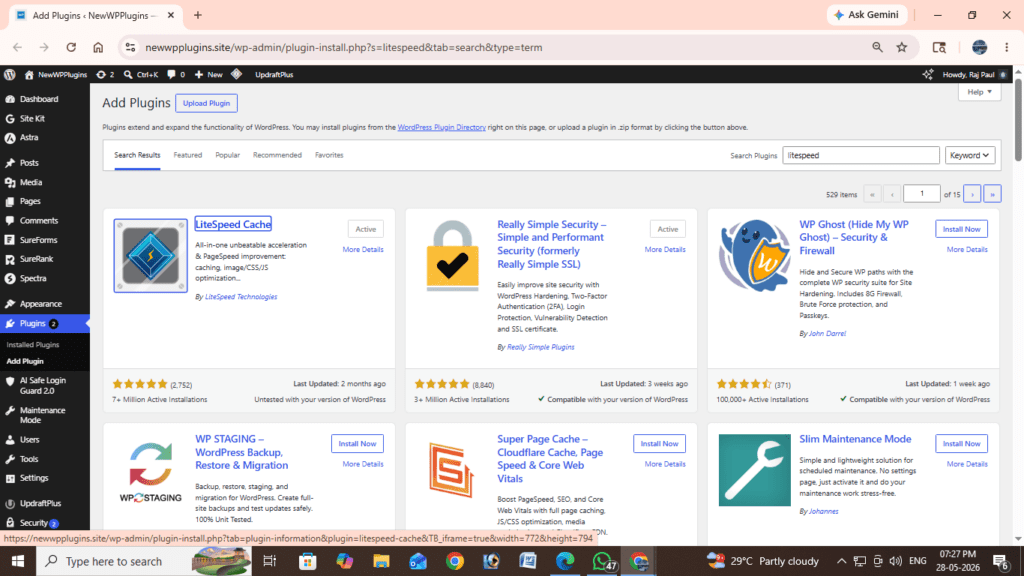
The LiteSpeed Cache settings menu will now appear inside your WordPress dashboard.
Safe LiteSpeed Cache Settings for Beginners
Many optimization tutorials online become overly complicated and may even break website layouts if configured incorrectly. For most beginners, a simple and safe setup works best.
Recommended starter settings:
Cache → Enabled
Caching stores static versions of your pages, allowing them to load faster for visitors. This significantly reduces server processing time and improves loading speed.
Enable:
Cache → Enable Cache → ONCSS Minify → ON
CSS minification reduces unnecessary spaces and formatting inside CSS files.
Benefits:
- smaller file size
- faster loading
- reduced bandwidth usage
Enable:
CSS Minify → ONJavaScript Minify → ON
JavaScript minification compresses JavaScript files to improve performance.
Enable:
JS Minify → ONImportant:
Always test your website after enabling JavaScript optimization because some themes or plugins may behave differently.
Image Optimization → Enabled
Large images are one of the biggest reasons WordPress websites become slow. LiteSpeed Cache includes image optimization tools that compress images while preserving quality.
Benefits:
- smaller image size
- faster page loading
- better mobile performance
Enable image optimization from:
Image OptimizationLazy Load → ON
Lazy loading delays image loading until users scroll near the image.
This improves:
- initial page speed
- mobile loading
- Core Web Vitals
Enable:
Lazy Load → ONLazy loading is one of the safest and most effective speed optimization techniques available today.
Why Simple Settings Often Work Best
Many beginners make the mistake of enabling every optimization feature immediately. This can sometimes create:
- layout issues
- JavaScript conflicts
- broken sliders
- font loading problems
A simple optimization setup is often safer and more stable. The settings above provide:
- noticeable speed improvements
- safer compatibility
- easier troubleshooting
- beginner-friendly optimization
You can gradually experiment with advanced settings later if necessary.
Image Optimization Best Practices
Images often account for the majority of page weight on WordPress websites. Optimizing images helps improve:
- loading speed
- mobile performance
- SEO
- Core Web Vitals
Best practices include:
- using WEBP images
- compressing large images
- avoiding oversized uploads
- enabling lazy loading
Recommended image size for blog featured images:
1280×720Recommended format:
WEBPThis helps maintain quality while reducing file size.
How Lazy Loading Improves Performance
Lazy loading is one of the easiest ways to improve frontend speed. Instead of loading all images instantly, lazy loading only loads images when users scroll near them.
Benefits include:
- faster first paint
- reduced bandwidth usage
- improved mobile performance
- better user experience
Modern WordPress optimization heavily depends on lazy loading.
LiteSpeed Cache and SEO
Website speed indirectly affects SEO because search engines prioritize better user experience. Faster websites often experience:
- lower bounce rates
- better engagement
- improved crawl efficiency
- stronger mobile usability
Google’s Core Web Vitals system also measures:
- loading performance
- layout stability
- responsiveness
Using proper caching and optimization helps improve these metrics.
Read: Core Web Vitals for WordPress – Improve LCP, CLS & INP
Recommended Hosting for LiteSpeed Cache
LiteSpeed Cache works best on hosting providers that support LiteSpeed web servers. However, many optimization features still work even on standard hosting environments. Good hosting combined with proper caching can dramatically improve WordPress performance.
Common Mistakes Beginners Make
One common mistake is enabling every optimization setting at once. Another mistake is installing multiple cache plugins simultaneously.
Avoid:
- duplicate cache plugins
- excessive optimization plugins
- too many frontend scripts
- oversized image uploads
Keep optimization clean and simple.
Results After Optimization
After applying safe optimization settings, many websites experience:
- faster loading times
- improved mobile performance
- lower bounce rates
- better user experience
- improved PageSpeed scores
Even small speed improvements can noticeably improve website quality.
Related resources
- On-Page SEO Checklist for WordPress (2026) Rank Faster
- Best Cache Plugins for WordPress (2026 full Guide)
- Technical SEO for WordPress (2026 Guide)
- How to Protect WordPress Login from Brute Force Attacks (Complete Guide)
- Technical SEO for WordPress (2026 Full Guide)
Frequently Asked Questions
Is LiteSpeed Cache beginner-friendly?
Yes. Beginners can achieve noticeable speed improvements using simple settings.
Can optimization break my website?
Some advanced settings may occasionally create layout issues, which is why starting with safe settings is recommended.
Is lazy loading safe?
Yes. Lazy loading is widely used and improves frontend performance significantly.
Does website speed affect SEO?
Indirectly, yes. Faster websites generally provide better user experience and improved Core Web Vitals.
Should I use multiple cache plugins?
No. Using multiple cache plugins can create conflicts and reduce performance stability.
Best Beginner Optimization Workflow
For beginners, the safest workflow is:
- Enable caching
- Enable CSS/JS minify
- Enable image optimization
- Enable lazy loading
- Test website performance
- Monitor frontend stability
This approach avoids unnecessary complications.
Final Thoughts
Website speed optimization is one of the most powerful ways to improve a WordPress website. A faster website creates, better user experience, stronger SEO performance, improved engagement, lower bounce rates, better mobile usability.
LiteSpeed Cache provides a beginner-friendly way to improve WordPress performance without requiring coding knowledge or advanced server configuration.
Instead of using complicated optimization systems, start with:
- caching
- CSS/JS minification
- image optimization
- lazy loading
These simple settings alone can produce significant speed improvements for many WordPress websites. The best optimization strategy is not necessarily the most complicated one. Simple, safe, and stable performance settings are often the most effective for long-term website growth.