

Every WordPress website eventually needs maintenance mode. Whether you are:
- redesigning your website
- updating plugins
- changing themes
- migrating hosting
- launching a new product
- building landing pages
There are moments when your website should temporarily be hidden from visitors. Showing incomplete pages, broken layouts, or unfinished updates creates a poor user experience and may reduce visitor trust.
That is exactly why AI Smart Maintenance Mode 2.0 was created.
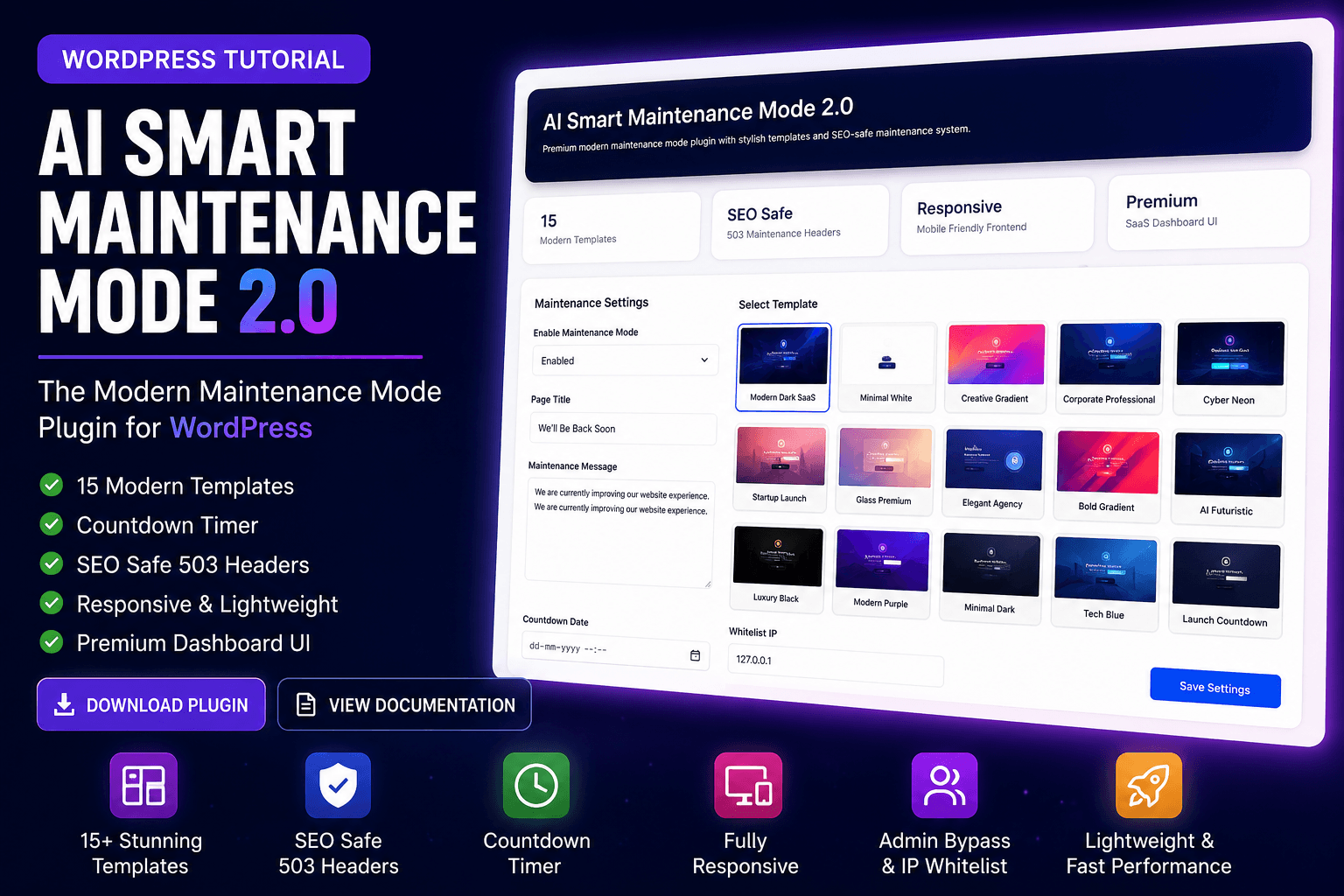
AI Smart Maintenance Mode started as a lightweight WordPress maintenance plugin focused on simplicity and performance. With Version 2.0, the plugin has evolved into a modern maintenance mode solution featuring premium frontend templates, responsive layouts, SEO-safe maintenance handling, and a redesigned SaaS-style dashboard.
The goal is simple:
Create professional maintenance experiences without making WordPress complicated.
Why Maintenance Mode Matters
Many beginners underestimate how important maintenance mode actually is.
Without maintenance mode, visitors may see:
- unfinished pages
- broken website sections
- missing images
- layout issues
- temporary plugin conflicts
- incomplete redesigns
This can create confusion and reduce trust in your website or business.
A proper maintenance mode plugin solves this by temporarily replacing your website with a professional maintenance page while you continue working privately in the background.
Instead of seeing errors or incomplete content, visitors see a polished message explaining that the website is temporarily unavailable.
From Version 1.0 to Version 2.0
The original version of AI Smart Maintenance Mode focused on:
- lightweight performance
- simple activation
- basic maintenance pages
- beginner-friendly controls
Version 2.0 builds on that foundation and introduces a completely modern experience.
The upgraded version now includes:
- 15 frontend templates
- modern responsive layouts
- countdown timer system
- SEO-safe 503 handling
- premium SaaS-style dashboard
- admin bypass system
- IP whitelist functionality
- improved frontend design
- mobile optimization
Instead of becoming another bloated maintenance plugin, the focus remains on keeping the plugin lightweight, practical, and visually modern.
Modern Maintenance Pages vs Traditional Plugins
Most traditional maintenance plugins look outdated.
Common problems include:
- plain white pages
- generic messages
- poor mobile support
- limited customization
- outdated admin interfaces
AI Smart Maintenance Mode 2.0 takes a different approach.
The plugin is inspired by:
- modern SaaS landing pages
- startup launch pages
- clean glassmorphism UI
- responsive frontend design
- modern WordPress user experiences
The result is a maintenance page that feels premium instead of temporary.
Key Features of AI Smart Maintenance Mode 2.0
15 Built-In Frontend Templates
One of the biggest improvements in Version 2.0 is the new frontend template system. Users can instantly switch between multiple maintenance page styles directly from the dashboard.
Included templates:
- Modern Dark SaaS
- Minimal White
- Creative Gradient
- Corporate Professional
- Cyber Neon
- Startup Launch
- Glass Premium
- Elegant Agency
- Bold Gradient
- AI Futuristic
- Luxury Black
- Modern Purple
- Minimal Dark
- Tech Blue
- Launch Countdown
These templates are designed for different website types including:
- blogs
- agencies
- business websites
- startups
- WooCommerce stores
- creators
- SaaS platforms
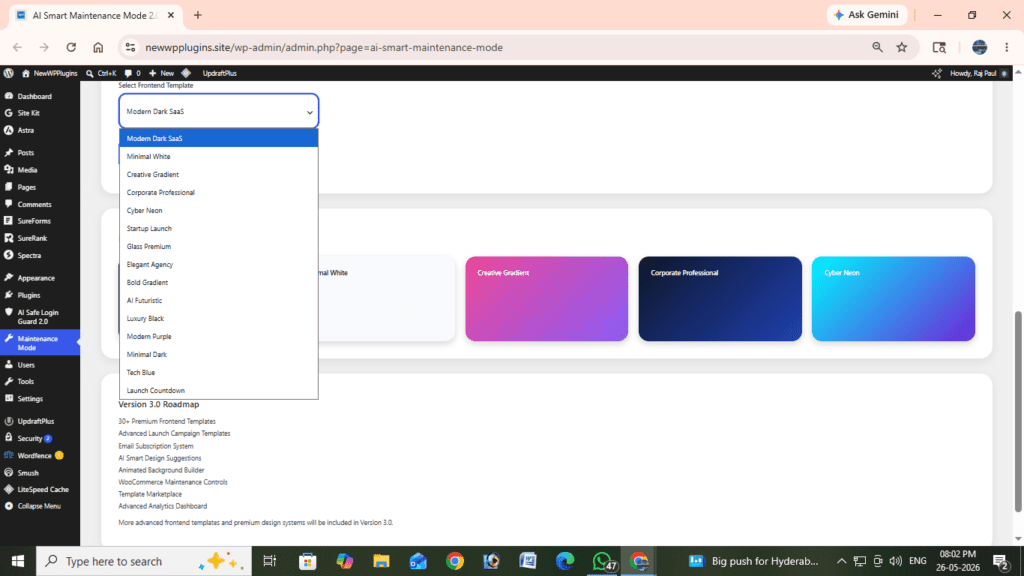
Frontend maintenance templates available in AI Smart Maintenance Mode 2.0 (15 Ready Templates)Premium SaaS-Style Dashboard
Version 2.0 introduces a redesigned admin dashboard inspired by modern SaaS products.
The dashboard includes:
- modern cards
- responsive layout
- clean settings organization
- premium UI styling
- modern gradients
- mobile-friendly interface
This creates a much better experience compared to outdated WordPress plugin interfaces. The dashboard is designed to feel modern while remaining beginner-friendly.
Countdown Timer System
AI Smart Maintenance Mode 2.0 includes a built-in countdown timer.
This feature is useful for:
- product launches
- website relaunches
- coming soon pages
- startup announcements
- redesign countdowns
Users can configure:
- launch date
- launch time
The countdown updates automatically in real time on the frontend maintenance page.
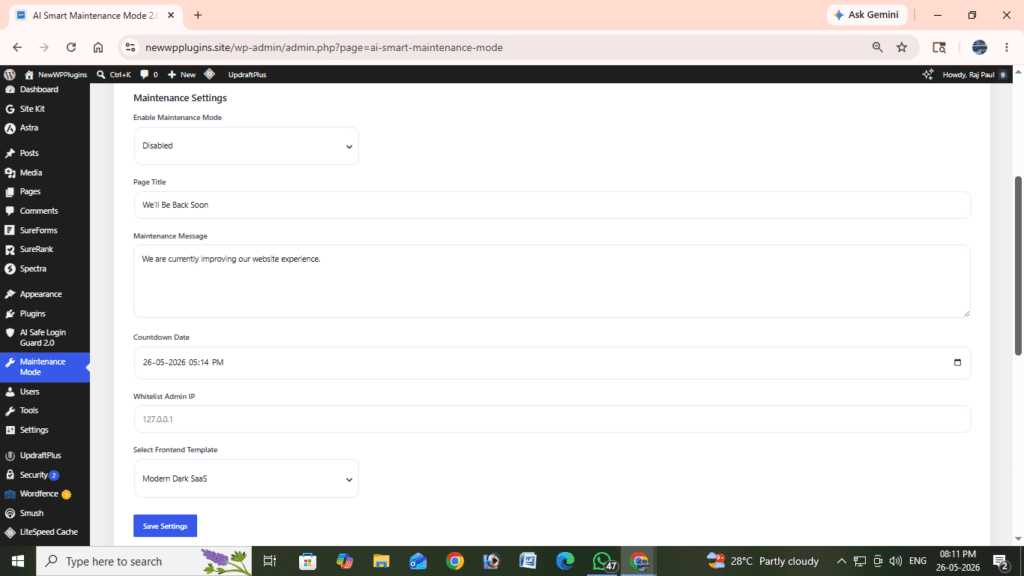
Responsive countdown timer on maintenance frontend pageSEO-Safe Maintenance Handling
One of the most important improvements in Version 2.0 is SEO-safe maintenance mode handling.
Some maintenance plugins accidentally create SEO problems by:
- returning incorrect status codes
- causing crawl issues
- affecting indexing
AI Smart Maintenance Mode 2.0 uses proper HTTP 503 maintenance headers.
Benefits include:
- safer maintenance handling
- better search engine compatibility
- reduced indexing risks
- improved SEO protection
This is especially important for:
- blogs
- business websites
- eCommerce stores
- SEO-focused websites
Lightweight Performance
Many maintenance plugins become unnecessarily heavy over time.
They may include:
- external APIs
- bloated frameworks
- excessive scripts
- large frontend libraries
AI Smart Maintenance Mode 2.0 focuses on lightweight architecture instead.
Benefits:
- faster loading
- lower server usage
- shared-hosting friendly
- smoother frontend performance
The plugin avoids unnecessary complexity while still providing a premium frontend experience.
Responsive Frontend Design
All maintenance templates are fully responsive.
The maintenance page automatically adapts to:
- mobile phones
- tablets
- desktop screens
This is increasingly important because many visitors now browse websites from mobile devices. A responsive maintenance page helps maintain professionalism across all screen sizes.
Admin Bypass System
Administrators automatically bypass maintenance mode.
This means:
- visitors see the maintenance page
- admins continue working normally
No manual configuration is required.
This makes website maintenance much easier for:
- developers
- agencies
- designers
- business owners
IP Whitelist Feature
The plugin also includes an IP whitelist system. This allows trusted users to bypass maintenance mode manually.
Useful for:
- developers
- testers
- clients
- collaborators
Simply add the IP address inside the plugin settings.
Screenshot Suggestion
Insert screenshot:
- maintenance settings page
- whitelist IP field
- enable maintenance mode toggle
Suggested caption:
Maintenance mode settings dashboard inside WordPressHow to Install AI Smart Maintenance Mode 2.0
Installing the plugin is simple.
Step 1
Download the plugin ZIP file.
Step 2
Go to:
WordPress Dashboard → Plugins → Add NewStep 3
Click:
Upload PluginStep 4
Click:
Install NowStep 6
Activate the plugin.
Once activated, the maintenance dashboard becomes available immediately.
You may also consider reading, How to Enable Maintenance Mode in WordPress (Complete Beginner Guide) for full installation guide.
How to Enable Maintenance Mode
After activation:
Open:
Maintenance Modeinside the WordPress dashboard.
Then:
- Enable maintenance mode
- Select frontend template
- Customize title and message
- Configure countdown timer
- Save settings
The maintenance page activates instantly for visitors.
Who Should Use This Plugin?
AI Smart Maintenance Mode 2.0 is ideal for:
- bloggers
- agencies
- startups
- WooCommerce stores
- creators
- portfolio websites
- SaaS websites
- developers
- landing pages
Especially for users who want:
- modern frontend design
- responsive layouts
- easy setup
- lightweight maintenance handling
- professional maintenance pages
AI Smart Maintenance Mode vs Traditional Maintenance Plugins
| Feature | AI Smart Maintenance Mode 2.0 | Traditional Plugins |
|---|---|---|
| Modern Templates | Yes | Usually Limited |
| Responsive Frontend | Yes | Mixed |
| Premium Dashboard | Yes | Rare |
| Countdown Timer | Yes | Limited |
| SEO-Safe 503 Mode | Yes | Sometimes |
| Lightweight Architecture | Yes | Often Heavy |
| Beginner Friendly | Yes | Mixed |
You may also like these articles, too
- WordPress login security guides
- WordPress performance & Image optimization tutorials
- How to Speed Up WordPress Website 2026
- On-Page SEO Checklist for WordPress (2026) Rank Faster
- Technical SEO for WordPress (2026 Guide)
Frequently Asked Questions
Will administrators be blocked?
No. Logged-in administrators automatically bypass maintenance mode.
Can I customize the maintenance page?
Yes. You can customize:
- page title
- maintenance message
- countdown timer
- frontend template
- whitelist settings
directly from the dashboard.
Is the plugin beginner-friendly?
Yes. The plugin is designed for easy setup and simple maintenance management.
Does maintenance mode affect SEO?
AI Smart Maintenance Mode 2.0 uses SEO-safe HTTP 503 headers to help protect search engine indexing during maintenance periods.
Is coding knowledge required?
No. Everything can be managed from the WordPress dashboard.
Version 3.0 Roadmap
Future updates planned for Version 3.0 include:
- 30+ premium frontend templates
- advanced analytics dashboard
- AI smart design suggestions
- WooCommerce maintenance controls
- launch campaign templates
- animated background builder
- template marketplace
- email subscription system
The long-term goal is to evolve AI Smart Maintenance Mode into a complete modern launch and maintenance platform for WordPress websites.
Final Thoughts
Maintenance mode should not feel outdated or unprofessional.
AI Smart Maintenance Mode 2.0 combines:
- modern frontend templates
- lightweight performance
- responsive layouts
- SEO-safe maintenance handling
- premium dashboard design
- beginner-friendly controls
into a practical and visually modern WordPress plugin experience.
Whether you are:
- redesigning a website
- launching a startup
- updating WooCommerce
- building a landing page
- preparing a product launch
AI Smart Maintenance Mode 2.0 provides a clean, responsive, and professional way to temporarily hide your website while continuing your work privately in the background.