
If you run a WordPress website, sooner or later you will encounter comment spam. It is one of the most common problems faced by bloggers, business websites, affiliate marketers, news portals, and even small portfolio websites. At first, spam comments may appear harmless, but over time they can quickly fill your comment section with fake messages, promotional links, suspicious content, and automated bot submissions that reduce the overall quality of your website.
Many website owners become frustrated because comment spam wastes moderation time, creates a poor visitor experience, and can even affect trust in the website itself. In some situations, spam comments may also contain harmful links or misleading content that damages the reputation of your website.
The good news is that stopping WordPress comment spam does not have to be complicated. You do not need aggressive CAPTCHA systems, annoying image puzzles, or expensive third-party services to protect your website. In fact, many modern WordPress website owners are now moving away from traditional CAPTCHA systems because they often create a poor user experience for genuine visitors.
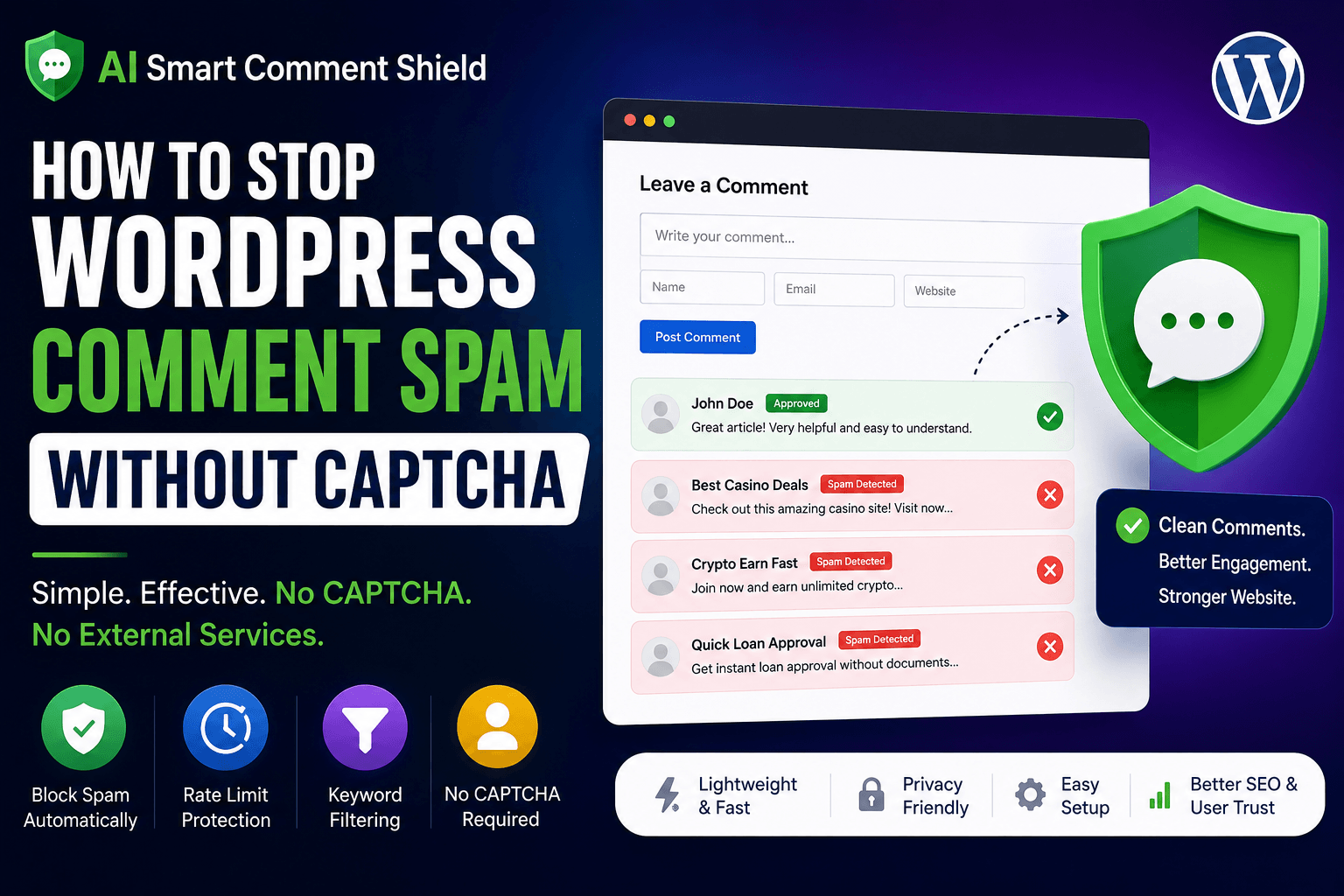
In this guide, you will learn how to stop WordPress comment spam using a simple and lightweight method with AI Smart Comment Shield Plugin. This method focuses on intelligent filtering, keyword protection, and comment rate limiting instead of frustrating real users with unnecessary CAPTCHA challenges.
The tutorial is beginner-friendly and requires no coding knowledge.
What Is WordPress Comment Spam?
WordPress comment spam usually comes from automated bots or low-quality spam networks that submit fake comments repeatedly across thousands of websites. These comments often contain:
- promotional links
- fake reviews
- irrelevant text
- gambling links
- crypto promotions
- loan advertisements
- suspicious SEO backlinks
Sometimes the comments look random or meaningless, while other times they are designed to appear human-like in order to bypass simple spam filters.
Comment spam typically increases over time because bots automatically scan WordPress websites searching for open comment forms. If a website has weak spam protection, the bots continue targeting it repeatedly.
This creates several problems:
- cluttered comment sections
- lower content quality
- increased moderation workload
- reduced user trust
- poor website professionalism
For growing WordPress websites, spam comments can become overwhelming very quickly.
Why Traditional CAPTCHA Systems Are Becoming Less Popular
For years, many website owners used CAPTCHA systems to stop spam comments. These usually required users to:
- solve puzzles
- identify images
- click checkboxes
- complete verification challenges
Although CAPTCHA can block some automated bots, it also creates friction for genuine users.
Many visitors dislike CAPTCHA because:
- it slows down commenting
- it interrupts user experience
- it feels annoying on mobile devices
- accessibility can become difficult
- some CAPTCHAs fail repeatedly
Modern website owners increasingly prefer invisible and user-friendly spam protection methods that work quietly in the background.
Instead of forcing users through extra verification steps, intelligent spam filtering can detect suspicious behavior automatically while allowing real visitors to comment normally. That is exactly where AI Smart Comment Shield becomes useful.
Introducing AI Smart Comment Shield
AI Smart Comment Shield is a lightweight WordPress anti-spam plugin designed to reduce comment spam without using CAPTCHA or third-party verification systems. The plugin focuses on:
- simplicity
- lightweight performance
- quiet spam filtering
- beginner-friendly setup
- real user experience
Instead of creating obstacles for visitors, the plugin quietly monitors common spam patterns such as:
- rapid comment submissions
- repeated spam keywords
- suspicious behavior
- automated posting attempts
This approach helps keep comment sections clean while maintaining a smooth experience for genuine users. Unlike many heavy anti-spam plugins, AI Smart Comment Shield avoids unnecessary complexity and external dependencies. The benefits include:
- no CAPTCHA required
- no external APIs
- no user tracking
- lightweight architecture
- shared hosting friendly
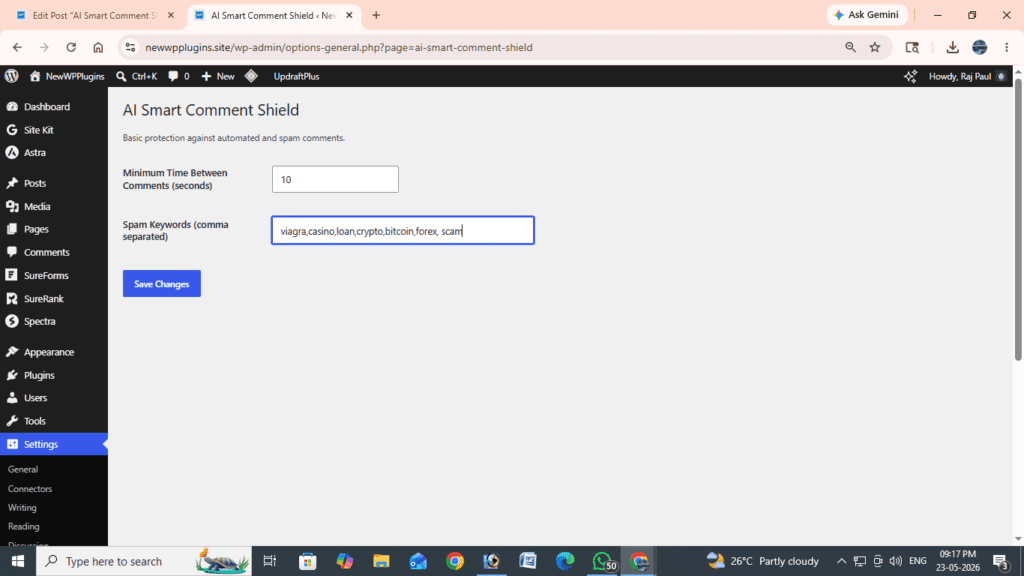
AI Smart Comment Shield dashboard inside WordPress
How AI Smart Comment Shield Works
The plugin uses a combination of:
- keyword filtering
- comment rate limiting
- suspicious behavior detection
to reduce spam automatically. For example, if a bot submits multiple comments rapidly within a short period, the plugin can block those submissions automatically. Similarly, comments containing known spam phrases or promotional keywords can also be filtered before publication.
This creates a cleaner and more manageable comment section without interrupting genuine users. The plugin works silently in the background while your visitors continue commenting normally.
Why Lightweight Anti-Spam Protection Matters
Many anti-spam plugins become heavy over time because, they rely on:
- cloud APIs
- large external databases
- unnecessary scripts
- remote spam services
This can increase:
- server load
- plugin conflicts
- website slowdown
- maintenance complexity
AI Smart Comment Shield is designed differently.
The plugin focuses on:
- local spam filtering
- lightweight performance
- faster execution
- minimal server impact
This makes it suitable even for:
- blogs
- affiliate websites
- shared hosting environments
- WooCommerce stores
- growing content websites
How to Install AI Smart Comment Shield
Installing the plugin is simple.
First, download the plugin ZIP file here: AI Smart Comment Shield Plugin
After downloading: Open your WordPress dashboard and go to:
Plugins → Add NewThen click:
Upload PluginSelect the plugin ZIP file and click:
Install NowOnce installation finishes, activate the plugin.
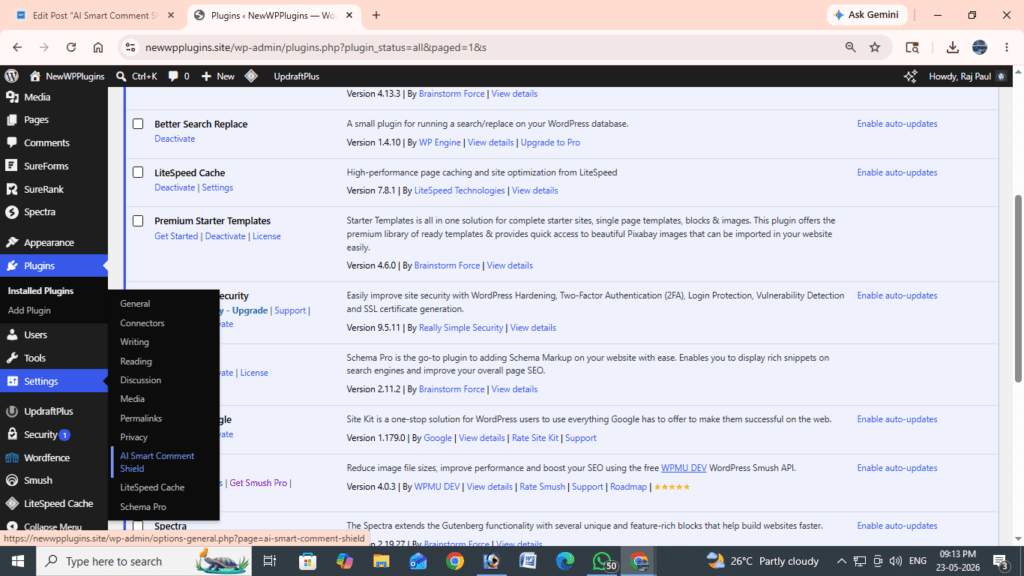
After activation, the anti-spam settings page will appear inside your WordPress dashboard.
How to Configure AI Smart Comment Shield
After activating the plugin, open:
Settings → AI Smart Comment ShieldYou will see a clean settings panel where you can configure anti-spam protection. The plugin is intentionally designed to remain simple and beginner-friendly.
Configure Minimum Time Between Comments
One useful feature is comment rate limiting. This prevents bots from submitting comments too quickly. For beginners, a good starting value is:
30 secondsThis means users cannot rapidly submit repeated comments within a very short period. Real users are rarely affected, but automated spam bots are significantly reduced.
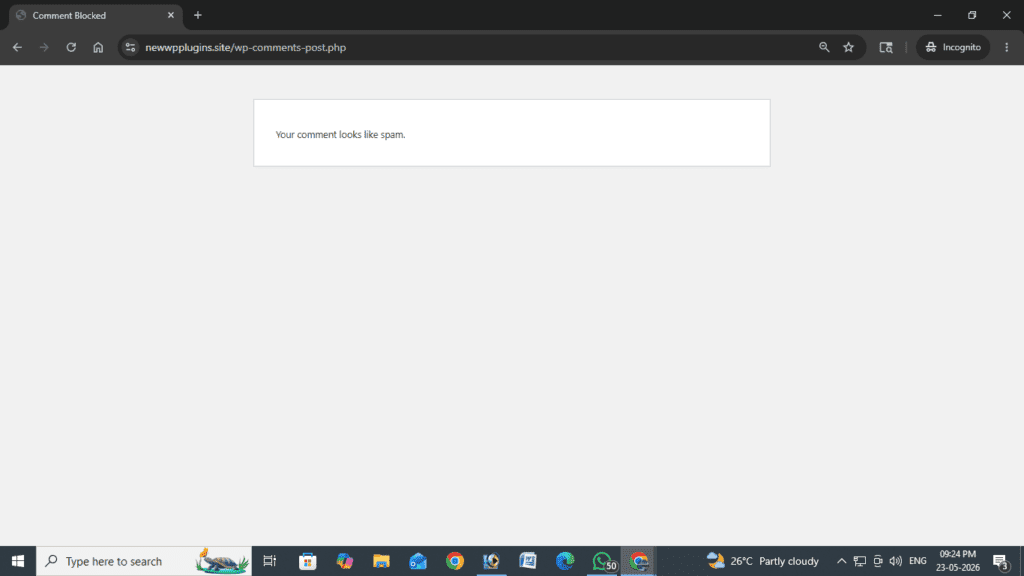
Add Spam Keywords
You can also create a list of common spam keywords.
Example keywords:
- casino
- crypto
- forex
- loan
- betting
When suspicious keywords appear inside comments, the plugin can automatically filter or block them. This helps prevent many low-quality promotional spam submissions.
Recommended Settings for Beginners
If you are new to WordPress spam protection, keep the setup simple initially. Recommended starting settings, Minimum time between comments:
30 secondsSuggested spam keywords:
casino, crypto, forex, loan, bettingAs your website grows, you can gradually expand your keyword filtering list if necessary.
What Happens After Configuration?
Once configured, the plugin automatically begins protecting your website. Spam comments are quietly filtered before publication, while genuine users continue commenting normally.
This improves:
- comment quality
- moderation efficiency
- visitor trust
- overall website professionalism
Because the protection happens automatically in the background, most visitors never even notice the anti-spam system working.
Why User Experience Matters
One major advantage of CAPTCHA-free spam protection is improved user experience. Visitors can comment:
- faster
- more easily
- without interruptions
This is especially important for:
- blogs
- communities
- tutorial websites
- review websites
- discussion-based content
Reducing friction often encourages more real engagement from visitors.
Does Comment Spam Affect SEO?
Yes — indirectly, comment spam can negatively affect SEO and overall website quality. Spam comments may:
- reduce content quality
- weaken page relevance
- increase moderation problems
- create suspicious outbound links
- reduce user trust
Search engines increasingly prioritize:
- quality content
- trustworthy websites
- clean user experience
A spam-filled comment section can harm the overall perception of your website.
Maintaining clean comments helps create:
- better website quality
- improved user trust
- stronger moderation
- healthier long-term SEO
WordPress Websites Most Affected by Spam
Comment spam commonly targets:
- blogs
- affiliate websites
- business websites
- tutorial websites
- news sites
- WooCommerce stores
Popular WordPress websites often receive spam attempts automatically because bots continuously scan the internet for comment forms. Even small websites may eventually encounter spam problems.
Best Practices to Reduce Comment Spam
In addition to using AI Smart Comment Shield, several best practices can help reduce spam further. Keep WordPress updated regularly because outdated plugins or themes may create vulnerabilities. Remove unused plugins and themes to reduce unnecessary attack surfaces. Moderate suspicious comments manually if needed, especially on growing websites. Avoid approving spam accidentally because some bots target websites repeatedly once spam comments are approved.
Finally, maintain lightweight spam protection instead of stacking multiple heavy security plugins together.
Recommended Helpful resources
- How to Install WordPress Plugins
- How to Protect WordPress Login from Brute Force Attacks
- Best Image Optimization Plugins for WordPress (2026 Guide)
- Top 10 Best Security Plugins for WordPress) – Complete Guide 2026
- Best WordPress Backup Plugins (2026 Guide)
Frequently Asked Questions
Does the plugin require CAPTCHA?
No. AI Smart Comment Shield works without CAPTCHA.
Does the plugin use third-party services?
No. The plugin works locally without external spam APIs.
Will genuine users be blocked?
The plugin is designed to target suspicious behavior and automated spam while allowing normal users to comment naturally.
Is the plugin beginner-friendly?
Yes. The plugin focuses on simple configuration and lightweight setup.
Can I customize spam keywords?
Yes. You can add your own keyword filters directly from the dashboard.
Final Thoughts
Comment spam is one of the most frustrating issues for WordPress website owners, but solving it does not require aggressive CAPTCHA systems or complicated configurations. AI Smart Comment Shield provides a lightweight and beginner-friendly way to reduce spam comments using, intelligent filtering, keyword protection, rate limiting, lightweight local processing without interrupting genuine visitors.
Whether you run, a blog, business website, affiliate site, WooCommerce store, tutorial platform, keeping your comment section clean helps improve:
- user trust
- content quality
- moderation efficiency
- long-term website professionalism
A simple and lightweight anti-spam solution is often the best approach for modern WordPress websites.