
If you’ve spent hours creating content for your WordPress website but your pages still struggle to rank on Google, the issue may not be your writing quality at all. Many website owners focus entirely on publishing more content while overlooking one of the most important ranking factors: on-page SEO.
Search engines have become much smarter over the years. In 2026, simply publishing an article is no longer enough. Google wants to understand what your content is about, whether it provides a good user experience, how well it is structured, and whether visitors actually find it useful. This is where on-page SEO becomes incredibly important.
On-page SEO refers to the process of optimizing individual pages on your website so search engines can understand them more easily and users can navigate them more comfortably. A properly optimized page has a much better chance of ranking higher, attracting more organic traffic, and generating consistent long-term results.
The good news is that on-page SEO does not require advanced technical skills. Most improvements can be implemented directly inside WordPress with a little planning and consistency. In this complete 2026 guide, you’ll learn a practical on-page SEO checklist that can help improve rankings, increase visibility, and build stronger authority in your niche.
Understanding What On-Page SEO Really Means
Many beginners assume SEO is mostly about backlinks. While backlinks remain important, on-page SEO is the foundation that everything else builds upon. If search engines cannot clearly understand your content, even the best backlink strategy will struggle to produce results.
On-page SEO includes optimizing your content, titles, meta descriptions, URLs, images, internal links, page speed, mobile usability, and overall user experience. Think of it as preparing your content so both visitors and search engines can consume it efficiently.
Every page you publish should be optimized before you hit the publish button. This approach creates stronger content assets that continue generating traffic for years.
Everything Starts With Keyword Research
One of the biggest SEO mistakes is writing content before choosing a target keyword. Many website owners publish articles based solely on ideas they find interesting, only to discover later that nobody is actually searching for those topics.
Successful SEO begins with understanding search demand.
Instead of targeting extremely competitive keywords, focus on long-tail keywords that have clear search intent. These keywords are often easier to rank for and attract visitors who already know what they are looking for.
For example, targeting a broad phrase like:
“SEO Tips”
is significantly more difficult than targeting:
“On-Page SEO Checklist for WordPress 2026”
Long-tail keywords usually have less competition while attracting highly targeted visitors.
When selecting keywords, always ask yourself:
- What problem is the user trying to solve?
- What information are they expecting?
- Can my article provide a better answer?
Once you identify the primary keyword, it becomes the foundation for the entire page.
Create a Strong Title That Attracts Clicks
Your title tag is one of the most important SEO elements on the page because it influences both rankings and click-through rates.
Even if your page ranks well, a weak title can prevent users from clicking.
A strong title should naturally include the primary keyword while remaining appealing to readers. Numbers, years, and clear benefits often improve click-through rates significantly.
For example:
On-Page SEO Checklist for WordPress (2026) – Rank Faster
works much better than:
SEO Tips for Websites
because it is more specific, more current, and more relevant to the search intent. Try to keep titles under 60 characters whenever possible to avoid truncation in search results.
Write Meta Descriptions That Encourage Clicks
Although meta descriptions are not a direct ranking factor, they heavily influence click-through rates. Your meta description should summarize the page clearly while encouraging users to visit.
A good meta description naturally includes the target keyword while highlighting the benefit of reading the article.
Example:
“Learn the complete on-page SEO checklist for WordPress in 2026. Improve rankings, boost organic traffic, and optimize your website the right way.”
Aim for roughly 140–155 characters for the best display across devices.
Use Clean and SEO-Friendly URLs
One often overlooked SEO factor is URL structure.
Search engines prefer URLs that are clean, readable, and keyword-focused.
Bad example:
yourwebsite.com/post?id=123Good example:
yourwebsite.com/on-page-seo-checklist-wordpressShort URLs are easier for users to understand and easier for search engines to interpret. Avoid unnecessary dates, random numbers, or filler words whenever possible.
Structure Your Content Properly
Content structure is critical for both SEO and user experience. Search engines use headings to understand how content is organized, while visitors use headings to scan pages quickly.
Every page should contain:
- One H1 heading
- Multiple H2 headings
- Supporting H3 headings where needed
A logical structure makes content easier to read and improves engagement. Large walls of text often discourage visitors from continuing. Clear structure improves readability, increases time on page, and helps search engines understand content hierarchy.
Optimize Content Naturally
Many people still believe SEO means repeating keywords as many times as possible. That approach no longer works.
Modern SEO focuses on relevance and user intent rather than keyword density. Your primary keyword should appear naturally in important locations such as:
- The title
- The introduction
- Headings where appropriate
- Meta description
- Image ALT text
However, forcing keywords repeatedly throughout the article can actually hurt readability. Instead, use related phrases and naturally occurring variations. Search engines are now capable of understanding context much more effectively than before.
Internal Linking Is One of the Most Underrated SEO Strategies
Internal linking is one of the easiest ways to improve SEO while helping visitors discover more content on your website. Whenever relevant, connect related articles together. For example, this article could naturally link to:
- Core Web Vitals for WordPress – Improve LCP, CLS & INP
- LiteSpeed Cache Settings for WordPress (Fast Speed Guide)
- Top 10 Best Security Plugins for WordPress (2026)
- How to Enable Maintenance Mode in WordPress
Internal links help search engines discover pages faster while distributing authority across your website. More importantly, they encourage visitors to stay longer and explore additional content. This improves engagement metrics that indirectly support SEO performance.
Image Optimization Matters More Than Most People Think
Images make content more engaging, but they can also slow down websites if not optimized properly. Every image should be compressed before upload and ideally converted to modern formats such as WEBP.
In addition, every image should include descriptive ALT text.
Instead of:
image1.jpgUse:
on-page-seo-checklist-wordpress-2026.webpAnd write meaningful ALT text describing the image. Optimized images improve accessibility, page speed, and image search visibility.
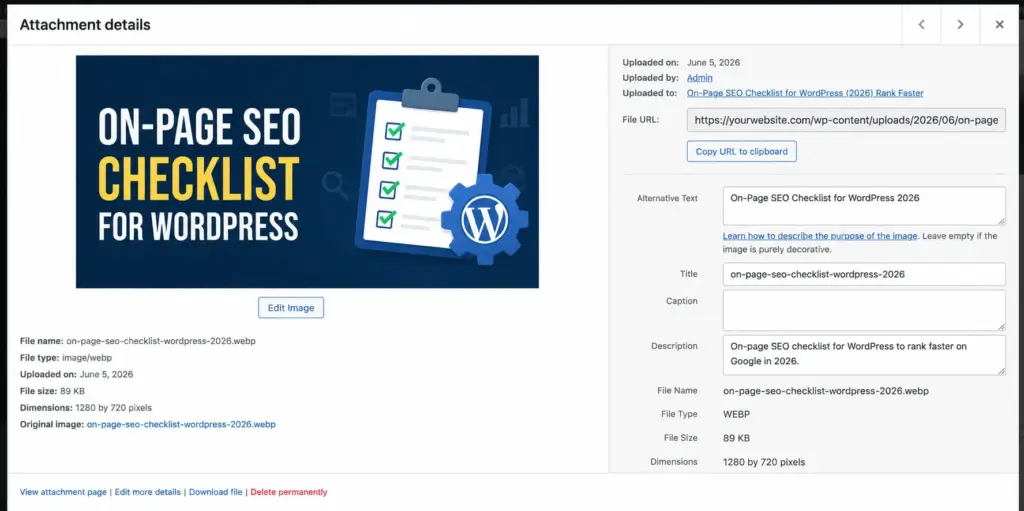
SEO-friendly image optimization for WordPress websites
Core Web Vitals Have Become a Major Ranking Factor
Google increasingly prioritizes websites that provide excellent user experiences.
Core Web Vitals measure:
- Loading speed (LCP)
- Visual stability (CLS)
- Responsiveness (INP)
If your website feels slow or unstable, rankings may suffer even if your content is excellent. Website speed optimization should therefore be part of every SEO strategy. For a complete performance guide, readers can also explore:
Core Web Vitals for WordPress – Improve LCP, CLS & INP
LiteSpeed Cache Settings for WordPress (Fast Speed Guide)
These articles complement your on-page SEO efforts perfectly.
Mobile Optimization Is No Longer Optional
Google primarily uses mobile-first indexing, which means your mobile experience is often more important than desktop. A website that performs poorly on smartphones can struggle in search results regardless of how well it performs on larger screens.
Make sure your website provides:
- Responsive design
- Fast mobile loading
- Easy navigation
- Readable typography
- Proper spacing
Always test pages on real mobile devices whenever possible.
Schema Markup Helps Search Engines Understand Content
Schema markup provides additional context about your pages. It can help search engines understand:
- Articles
- FAQs
- Products
- Reviews
- Breadcrumbs
Schema can improve search visibility and sometimes generate enhanced search result displays. For tutorial articles, Article Schema is often the most appropriate choice.
User Experience Directly Influences SEO
Modern SEO and user experience are deeply connected. Google wants to rank pages that users enjoy visiting. Improving readability, navigation, layout design, and engagement signals often leads to better long-term rankings.
Consider:
- Short paragraphs
- Clear formatting
- Fast loading pages
- Easy navigation
- Helpful visuals
These improvements make content easier to consume and encourage longer visits.
External Links Can Improve Credibility
While internal links are essential, linking to authoritative sources can also help establish trust. For example, referencing official Google documentation or respected industry resources provides additional credibility.
External links should always be relevant and useful rather than excessive.
Use an SEO Plugin
WordPress SEO becomes much easier with a dedicated SEO plugin.
Popular options include:
- Rank Math
- Yoast SEO
- SureRank
These tools help manage:
- Meta descriptions
- Schema markup
- XML sitemaps
- Social sharing settings
- SEO analysis
For most WordPress websites in 2026, Rank Math remains one of the strongest overall options.
Content Updates Are a Powerful Ranking Strategy
Publishing content is only the beginning. Search engines favor fresh and updated information. Regularly revisit older articles to:
- Update statistics
- Improve content depth
- Fix broken links
- Add new internal links
- Refresh screenshots
This often provides ranking improvements without writing entirely new articles.
Common SEO Mistakes That Still Hurt Rankings
Many websites continue making avoidable mistakes such as excessive keyword repetition, poor mobile optimization, slow loading times, weak internal linking, and duplicate content.
SEO success rarely comes from one major change. It usually comes from consistently avoiding small mistakes while steadily improving content quality and user experience.
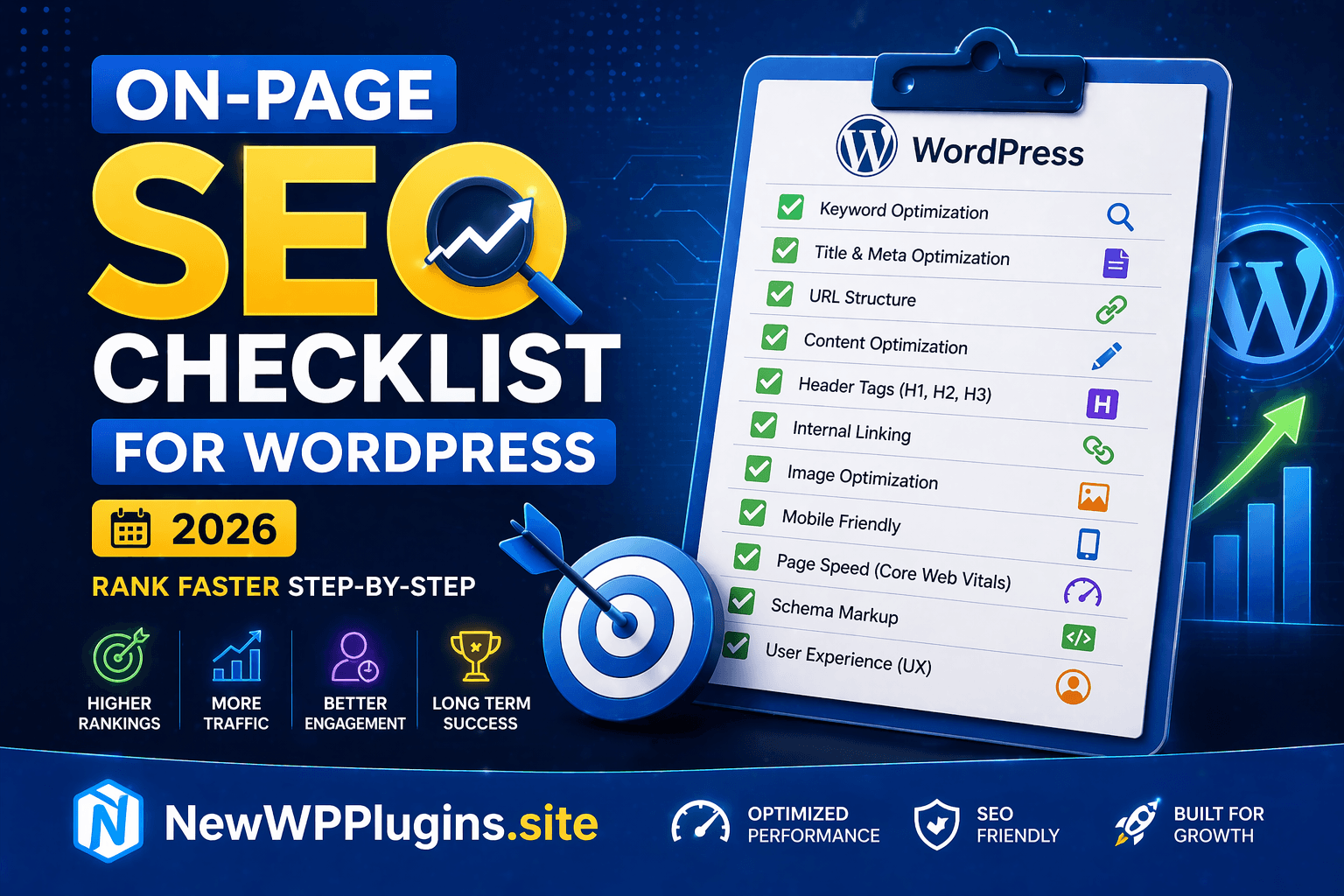
Final On-Page SEO Checklist
Before publishing any WordPress article, verify that:
✔ Primary keyword is properly targeted
✔ Title and meta description are optimized
✔ URL is clean and readable
✔ Heading structure is organized
✔ Internal links are included
✔ Images are optimized
✔ Mobile usability is verified
✔ Core Web Vitals are healthy
✔ Page speed is optimized
✔ Schema markup is configured
Final Thoughts
On-page SEO remains one of the most important foundations of long-term search engine success. While algorithms continue evolving, the core principles remain remarkably consistent: create useful content, structure it properly, optimize technical elements, and provide an excellent user experience.
By following this on-page SEO checklist for WordPress in 2026, you create content that is easier for search engines to understand and more valuable for real users. Over time, these improvements can lead to higher rankings, stronger authority, increased organic traffic, and better overall website performance.
SEO is not a one-time task. It is an ongoing process of refinement, testing, updating, and improvement. The websites that consistently optimize their content are usually the ones that continue growing year after year.